PROMPT RECORD图像记录
7 个导致你的 AI 视频连续性断裂的原因。 到第三个镜头时,你的角色就变了脸。每个问题都有 30 秒的修复方法。 1. 锁定一张参考图。挑一张高质量的肖像照,裁切到画面的 60-80%,然后...
中文说明
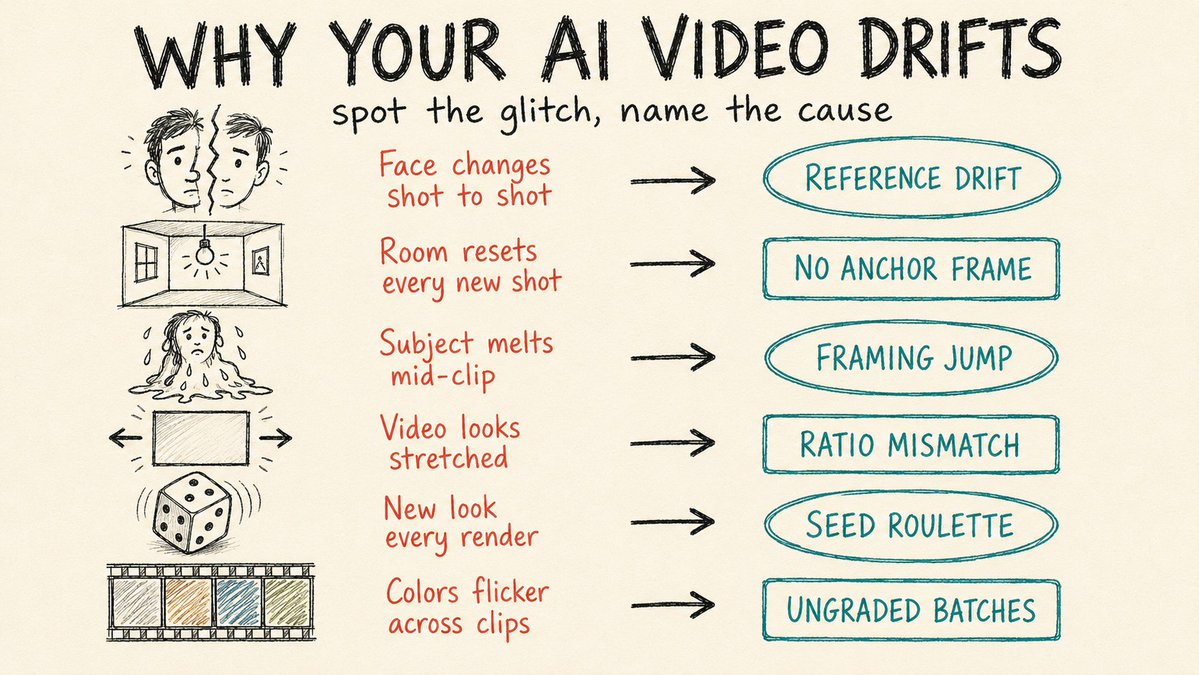
7 个导致你的 AI 视频连续性断裂的原因。 到第三个镜头时,你的角色就变了脸。每个问题都有 30 秒的修复方法。 1. 锁定一张参考图。挑一张高质量的肖像照,裁切到画面的 60-80%,然后把同一张文件喂给每一个镜头。一旦你在不同生成之间切换参考图,漂移就开始了。 2. 把上一段的最后一帧当作下一段的第一帧。保存每个片段的最后一帧,把它作为下一段的开场帧上传。这样光线、场景和道具就能延续下来,而不是重新猜测。 3. 让首尾两帧的构图保持接近。从一个全景跳到极近景,会强迫模型去发明一个它做不出的镜头运动,结果就是模糊的变形。改用中景到中近景,或者在同一画面内移动主体。 4. 把帧的宽高比与输出一致。上传 16:9 的静帧却渲染成 9:16,模型就会拉伸去填满。生成之前把两边都设成同样的比例。 5. 复用你最好那...
原始 Prompt
7 reasons your AI video breaks continuity.

Your character changes face by shot three. Each one has a 30-second fix.

1. Lock one reference image. Pick a single high-quality portrait, crop it tight to 60-80% of the frame, and feed that exact file into every shot. The drift starts the moment you swap references between generations.

2. Use your last frame as the next first frame. Save the final frame of each clip and upload it as the opening frame of the next. Lighting, location, and props carry over instead of resetting to a fresh guess.

3. Keep first and last frames close in framing. Jumping from a wide shot to an extreme close-up forces the model to invent a camera move it can't do, and you get a smeared morph. Move medium to medium-close, or move the subject inside the same frame.

4. Match the frame's aspect ratio to the output. Upload a 16:9 still but render to 9:16, and the model stretches to fill. Set both to the same ratio before you generate.

5. Reuse the seed from your best take. When one generation nails the look, lock its seed and regenerate with small prompt tweaks. Random seeds hand you a different face every run.

6. Grade every clip to one reference. Clips from different batches drift in color temperature and contrast even when the character holds. Pull them all to a single grade in your editor, trim the unstable half-second at each clip's head and tail, and drop short cross-dissolves over the cuts that still jump.

7. Stop stuffing one prompt with five actions. Short clips can't hold a full sequence, so the model rushes and breaks. Use a multi-shot storyboard like Kling 3.0 or Seedance 2.0, or sequence shots with [cut] markers that share the same reference images.