 1/4
1/4
PROMPT RECORD图像记录
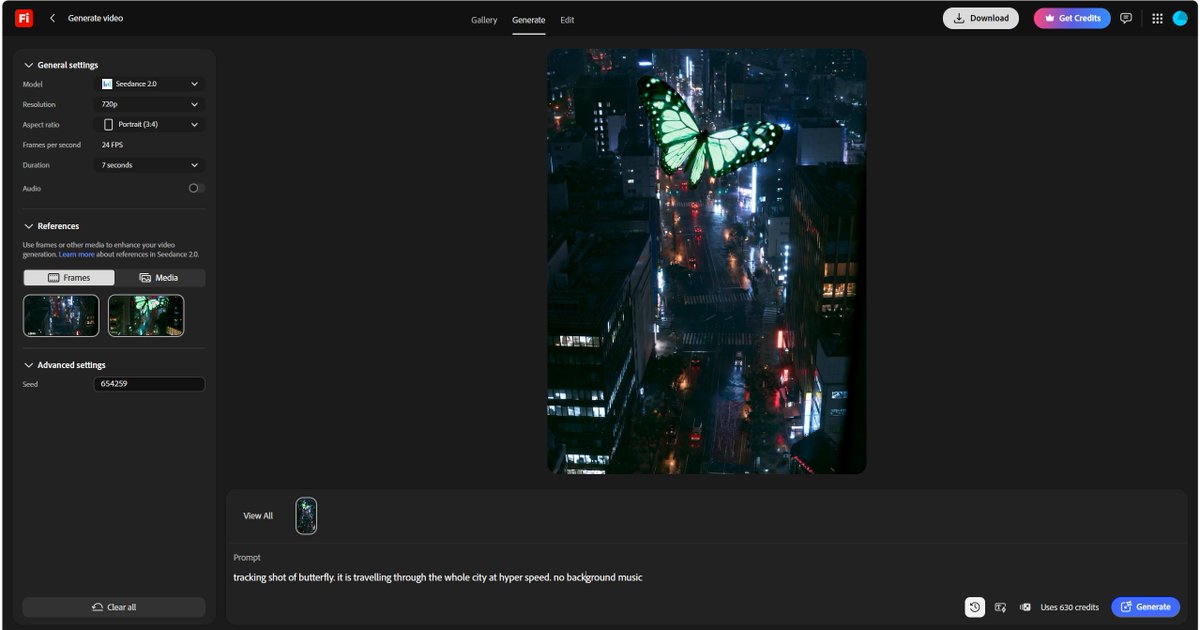
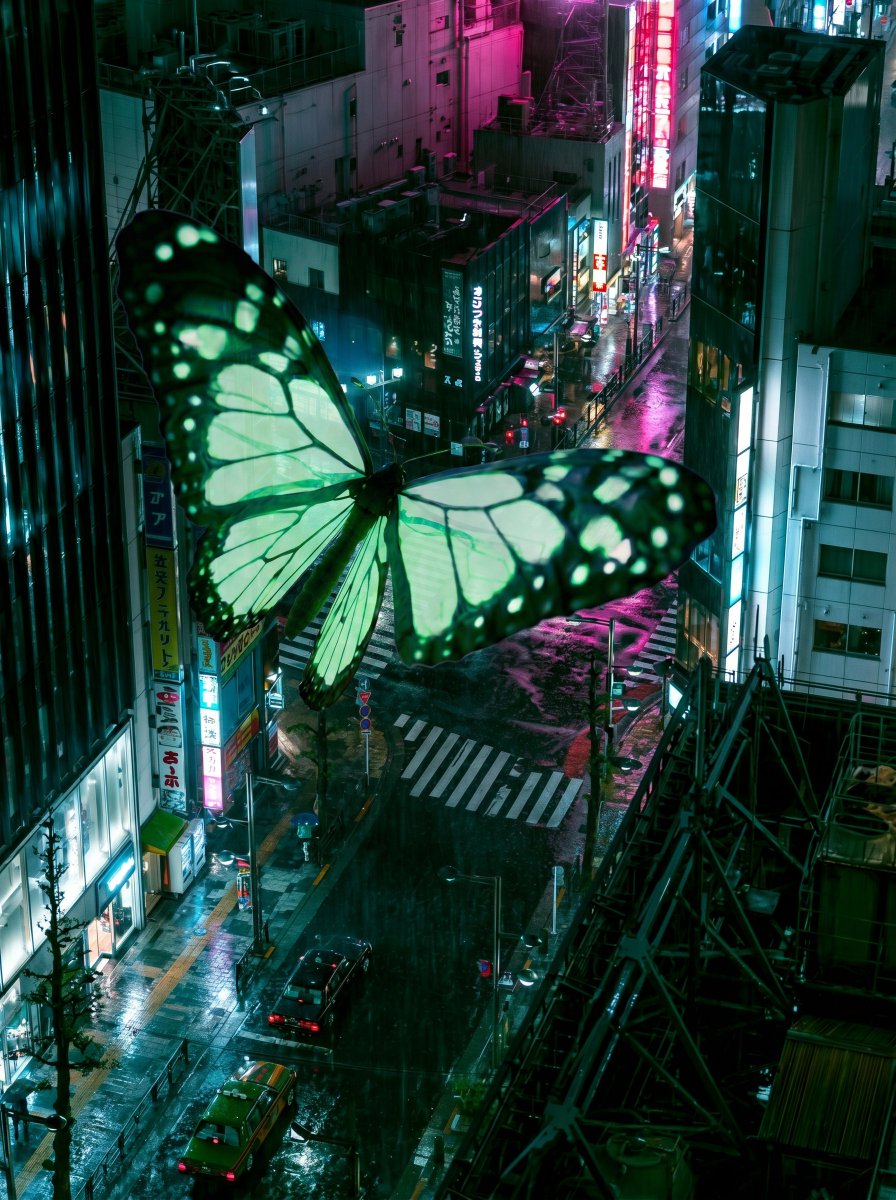
"把我的蝴蝶添加到场景中。确保场景完全保持不变")。然后,使用这两张带有蝴蝶的场景图片,使用替代文本中的提示词。另外,要给Seedance足够的时间移动到新场景——7秒以上。 2. 使用任何允...
中文说明
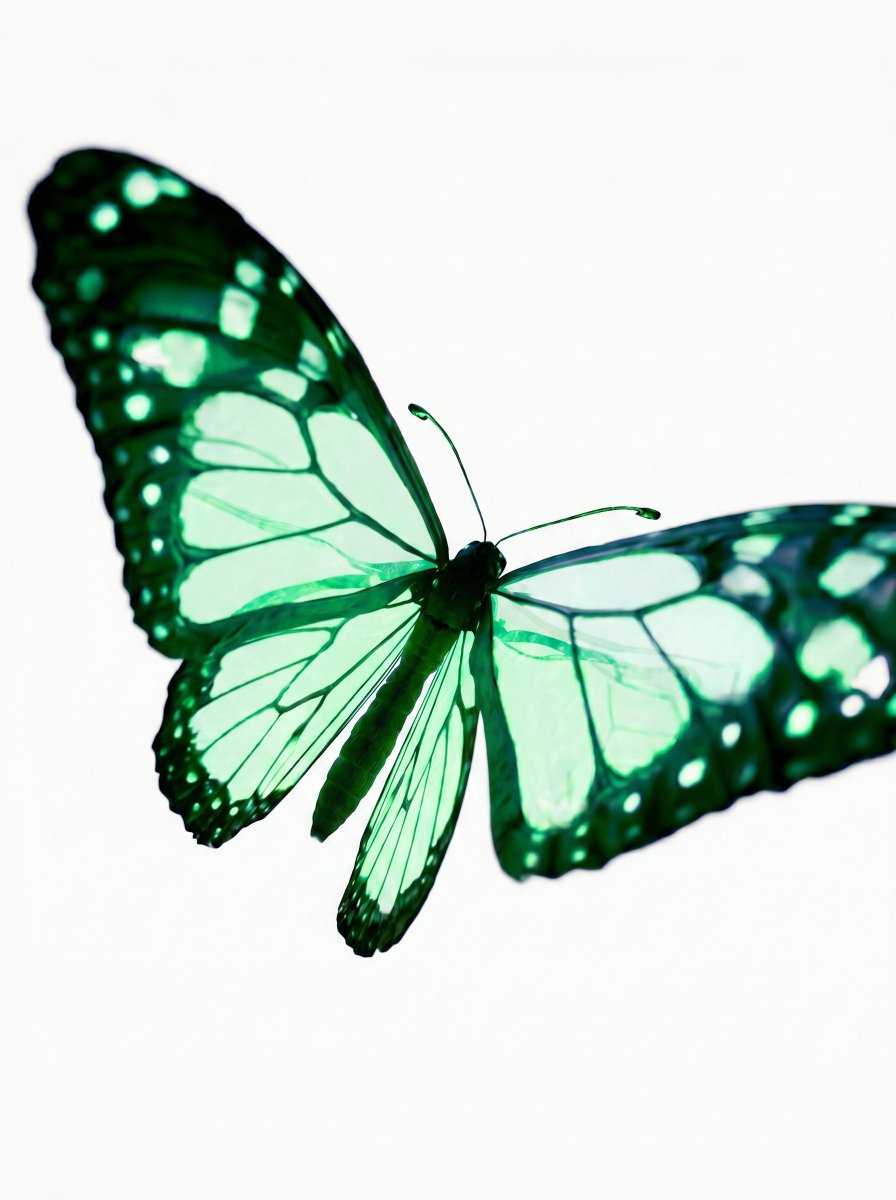
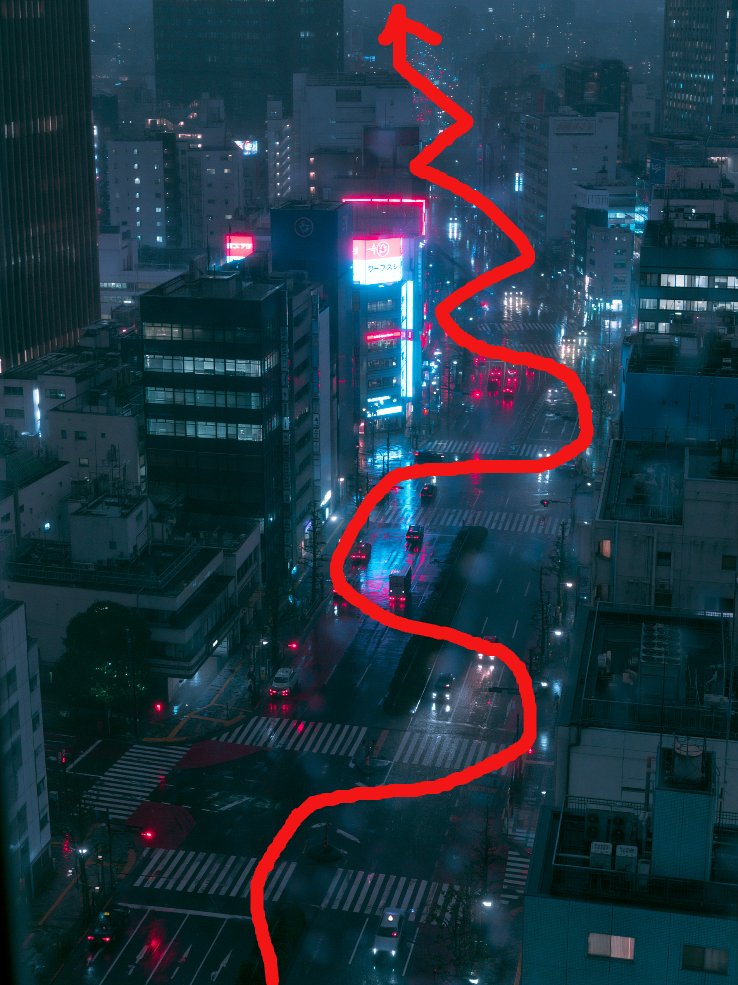
"把我的蝴蝶添加到场景中。确保场景完全保持不变")。然后,使用这两张带有蝴蝶的场景图片,使用替代文本中的提示词。另外,要给Seedance足够的时间移动到新场景——7秒以上。 2. 使用任何允许你在场景上画红线的软件。然后,对于SD 2使用参考图片,我已经附上了我的蝴蝶各个角度的图和标注了飞行路径的红色箭头的场景图。提示词在图片描述中。 注:这种方法能得到远好于其他方法的结果;但是,如果不保留红色箭头,它只有50%的成功率。我已经尝试了多个提示词(我已经在图片的替代文本中附上了效果最好的提示词),并且非常明确地要求不要保留红线,平均每两次尝试就有一次能成功达到预期效果。
原始 Prompt
"Add my butterfly to the scene. Make sure the scene remains exactly the same"). Then, using the two scene images with the butterfly, use the prompt in the alt. Also, make sure to give Seedance enough time to travel to the new scene — 7 seconds plus.
2. Use any software that lets you paint a red line on your scene. Then, using reference images for SD 2, I attached my butterfly perspectives and the scene with the inpainted red arrow marking the flight path. The prompt is in the image description.
Note: This approach achieves the best results by a mile; however, it will only work 50% of the time without keeping the red arrow. I have tried multiple prompts (I've attached the prompt that worked best in the alt of the image), being very specific about not keeping the red line, and on average every second attempt worked as intended.