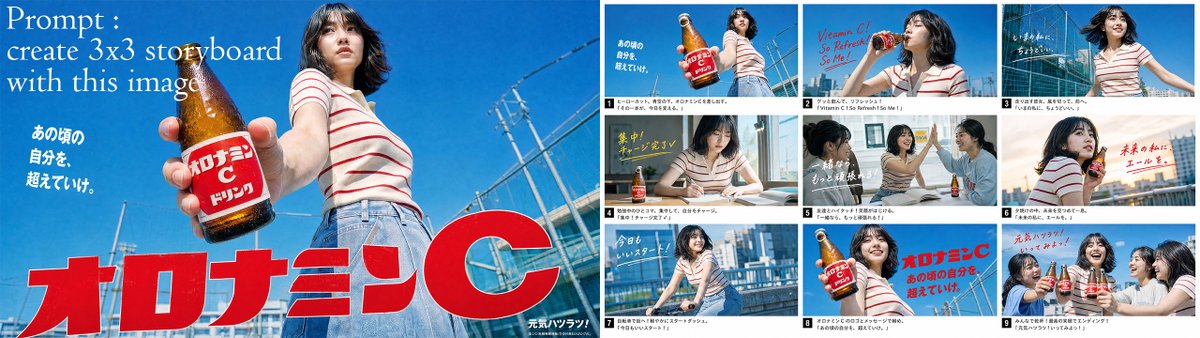
PROMPT RECORD图像记录
“使用这张图片创建一个3×3分镜故事板。” 你可以把提示词写得更详细,以得到你想要的精确镜头。 (只需确保在实际提示词之前删除顶部的主关键词。) 步骤3:将故事板图片上传到Seedance 2...
中文说明
“使用这张图片创建一个3×3分镜故事板。” 你可以把提示词写得更详细,以得到你想要的精确镜头。 (只需确保在实际提示词之前删除顶部的主关键词。) 步骤3:将故事板图片上传到Seedance 2.0中,模型会自动将其转换为逐剪辑视频。 请确保在提示词中包含准确的时间戳,以便模型更容易理解每个特定镜头应该出现多长时间。
原始 Prompt
“Create a 3×3 storyboard using this image.”

you can make the prompt more detailed to get the exact shots you want.
(Just make sure to remove the main keyword at the top before the actual prompt.)

Step 3: Upload the storyboard image into Seedance 2.0 and the model will automatically turn it into a cut by cut video.

make sure to include exact timestamps in your prompt so the model can more easily understand how long each specific shot should appear.