 1/4
1/4
PROMPT RECORD图像记录
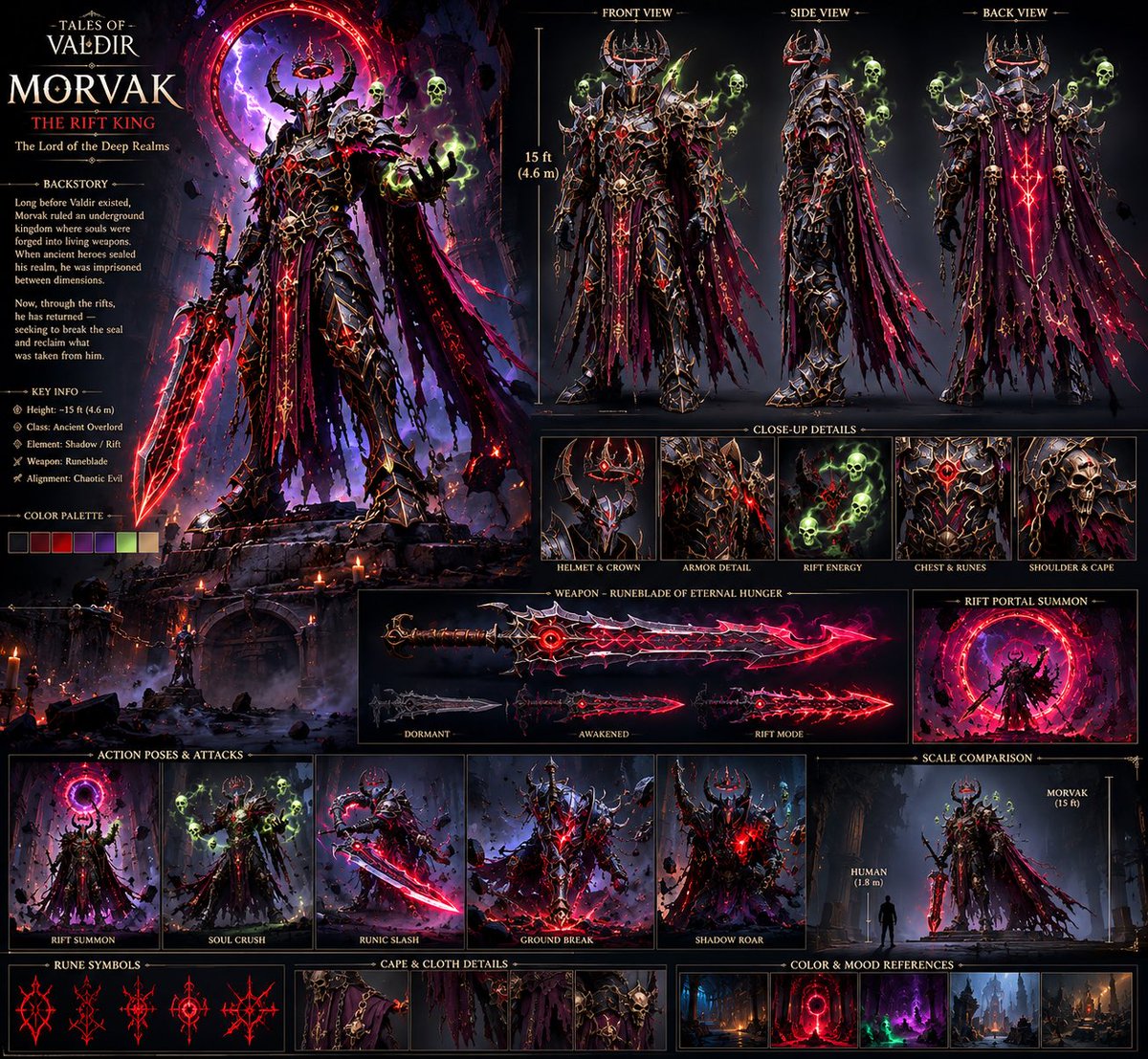
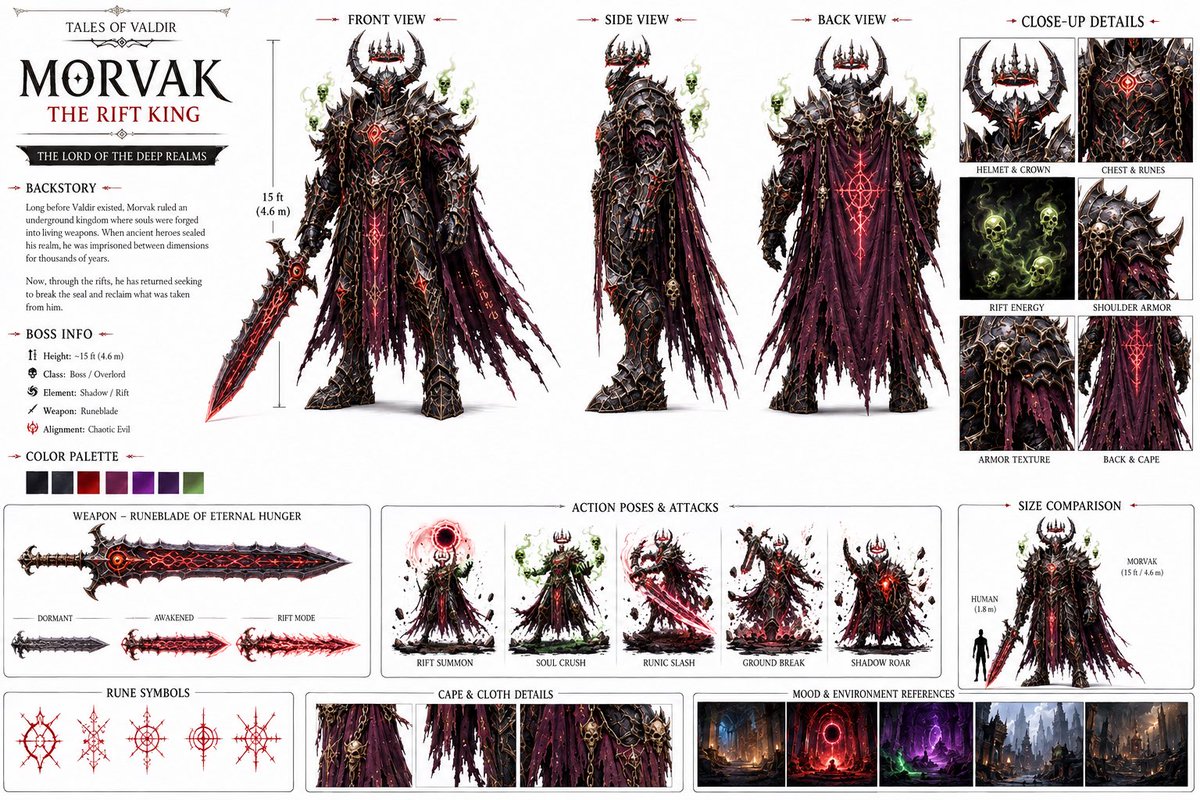
“创建一个电影感黑暗奇幻Boss角色设定图,包含正面/侧面/背面视图,保持一致的15英尺高身披盔甲的魔王,全身覆盖黑色符文的盔甲,角状王冠,破碎的紫色披风,发光的红色符文,幽灵般的绿色骷髅头,...
中文说明
“创建一个电影感黑暗奇幻Boss角色设定图,包含正面/侧面/背面视图,保持一致的15英尺高身披盔甲的魔王,全身覆盖黑色符文的盔甲,角状王冠,破碎的紫色披风,发光的红色符文,幽灵般的绿色骷髅头,巨大的诅咒之剑,高度细节化,逼真的AAA级游戏概念艺术。” 2. 搭建世界观 一旦角色确定下来,我就围绕他构建环境,而不是把他随意丢进随机背景里。 诅咒森林 古老的哥特式大教堂 地下王国 巨大的裂隙传送门 深域城市 示例提示词: “广阔的地下哥特王国,巨大的废墟大教堂,古老的石桥,悬挂的锁链,燃烧的火盆,远处发光的红色维度裂隙传送门,深蓝色氛围光照,电影感奇幻环境,逼真的AAA级游戏世界。” 3. 在 Seedance 2.5 中生成镜头 一切从这里开始动起来。 我没有尝试用一个提示词生成整部电影。我把故事拆分成单个的电影...
原始 Prompt
“Create a cinematic dark-fantasy boss character sheet, front/side/back views, consistent 15-foot armored demon king, black rune-covered armor, horned crown, shredded purple cape, glowing red runes, spectral green skulls, massive cursed sword, highly detailed, realistic AAA game concept art.”

2. Build the World

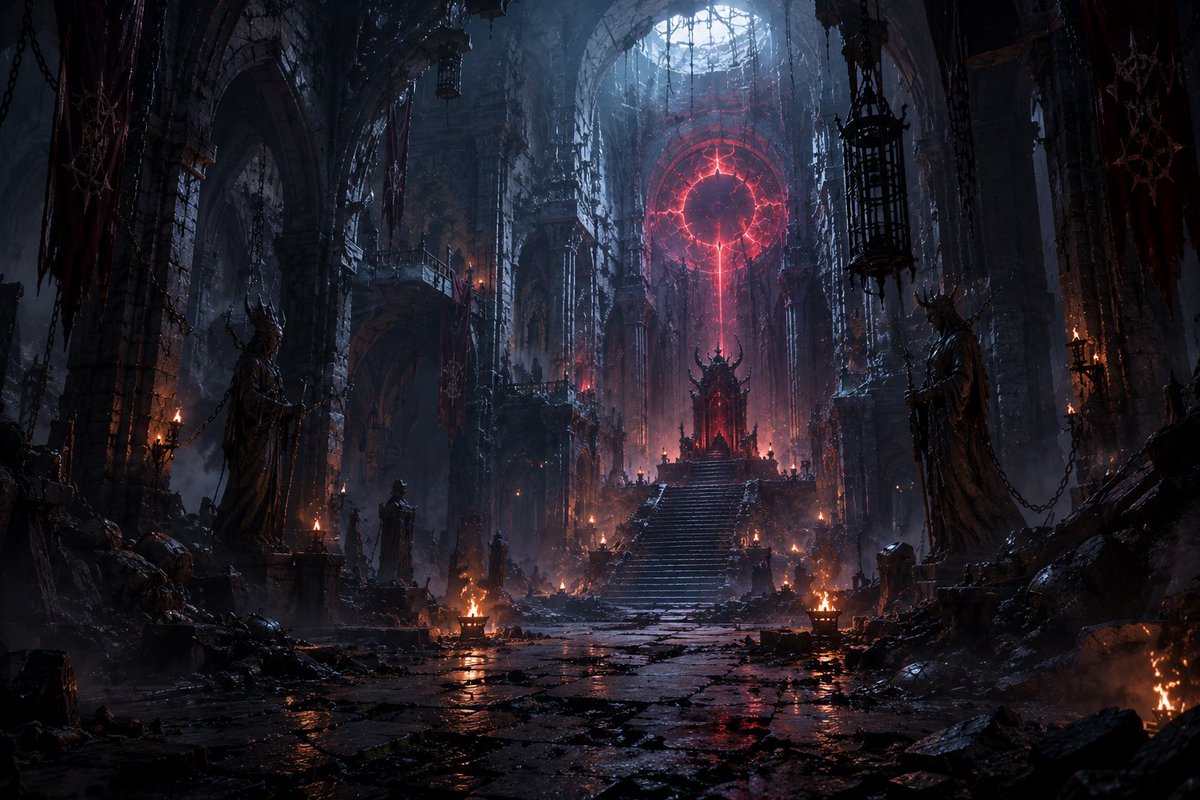
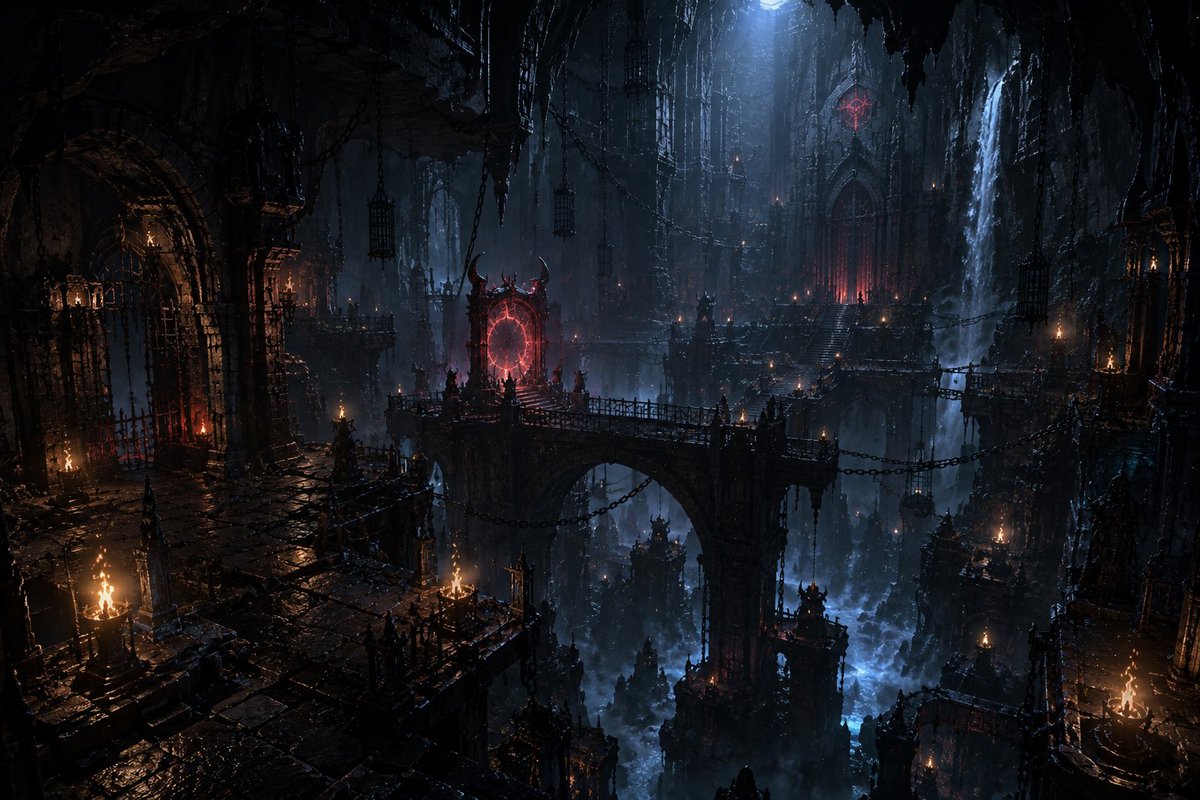
Once the character was locked, I created the environments around him instead of throwing him into random backgrounds.

Cursed forests
Ancient gothic cathedrals
Underground kingdoms
Massive Rift portals
Deep realm cities

Example prompt:

“Vast underground gothic kingdom, colossal ruined cathedral, ancient stone bridges, hanging chains, burning braziers, red dimensional Rift portal glowing in the distance, dark blue atmospheric lighting, cinematic fantasy environment, realistic AAA game world.”

3. Generate the Shots in Seedance 2.5
This is where everything starts moving.

I didn’t try to generate the entire movie in one prompt. I broke the story into individual cinematic shots and kept the character references consistent.

Example:

“MORVAK slowly walks toward the camera through a ruined cathedral, his shredded cape moving in the wind, red runes pulsing across his armor, green spectral skulls circling him, camera slowly pushes forward, cinematic lighting, dark fantasy, realistic movement, epic scale.”

Then I’d generate different shots for:

Establishing shots
Character entrances
Walking/attacking
Rift activation
Close-ups
Power moments
Final boss reveal

4. Compile Everything in CapCut
After generating the clips:

Import all the shots
Arrange them according to the story
Cut out weak frames
Match the pacing
Add transitions/sound design
Adjust the overall look
Then upscale the final edit for a cleaner output.

The important part is that CapCut comes at the end. I don’t use editing to fix a bad generation.

I build the character → build the world → generate controlled shots → then edit everything together.

My biggest tip:
Don’t start by asking AI to “make me a movie.”

Build the world first. Build the character second. Then make the movie.

That workflow alone can make your AI videos feel way more intentional and cinematic.

Bizzy