 1/2
1/2
PROMPT RECORD图像记录
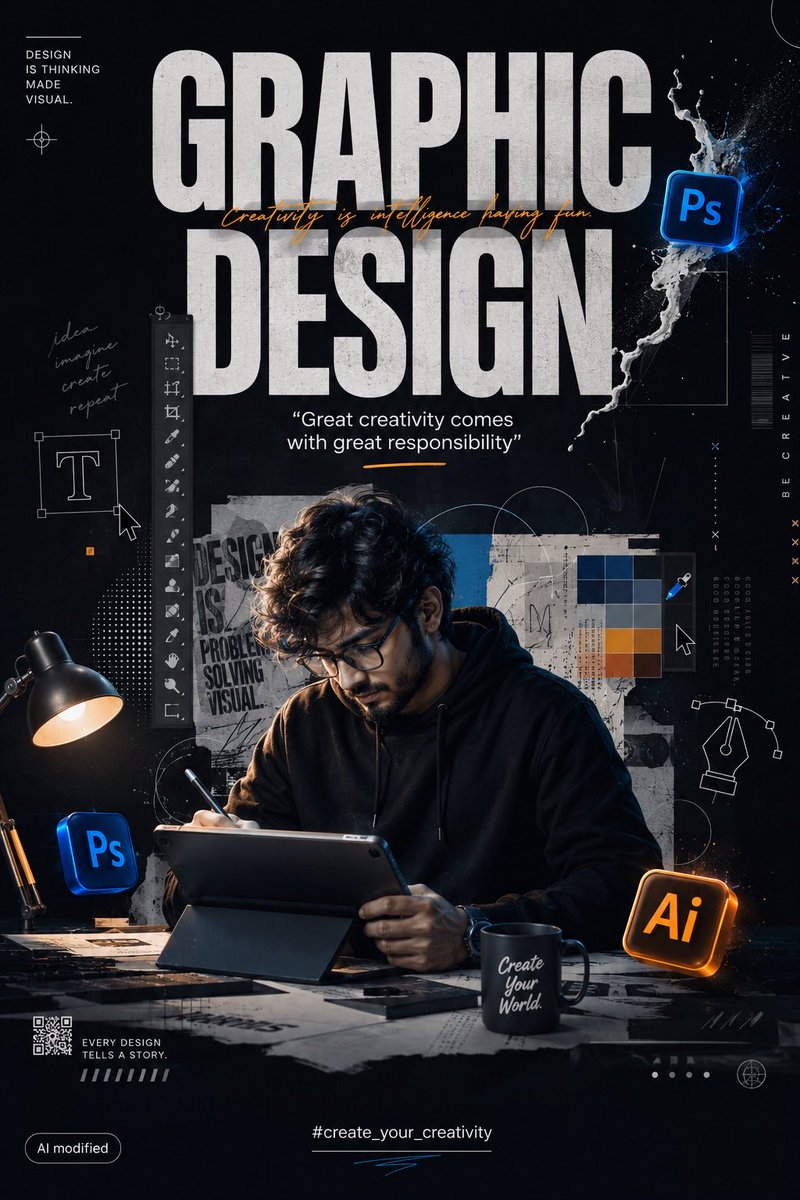
创建一个高端电影感的平面设计(GRAPHIC DESIGN)宣传海报,采用现代专业创意工作室的美学风格。 构图: 竖版 4:5 人像格式。打造一张高度精致、写实的平面设计广告/海报。整体构图应...
中文说明
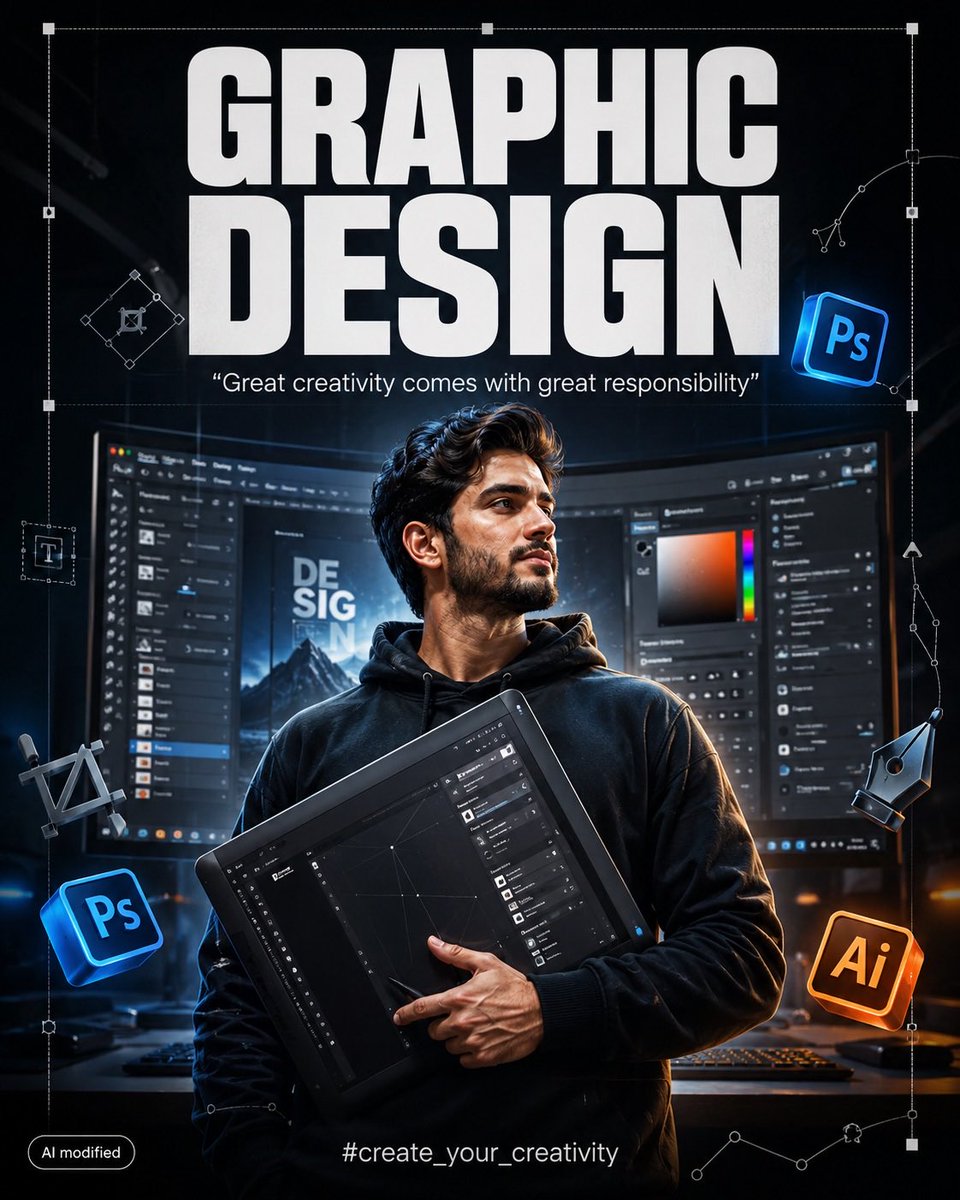
创建一个高端电影感的平面设计(GRAPHIC DESIGN)宣传海报,采用现代专业创意工作室的美学风格。 构图: 竖版 4:5 人像格式。打造一张高度精致、写实的平面设计广告/海报。整体构图应让人感觉如同专业 Behance/Dribbble 创意作品与电影海报的融合。 在最顶部放置巨大、粗体的大写字母排版: “GRAPHIC DESIGN” 使用极粗、窄体、圆角无衬线字体,白色,干净有力,完美居中。排版应主导上半部分,但不遮挡主要人物。 正下方添加一行较小的优雅引言: “Great creativity comes with great responsibility” 使用干净的白色/浅灰色字体,带有微妙的电影感光晕。 主要主体: 将主要人物显著放置在画面中心,构图大约从腰部/胸部向上。 人物姿态应自信、富有...
原始 Prompt
Create a premium cinematic GRAPHIC DESIGN promotional poster in a modern professional creative-studio aesthetic.

COMPOSITION:
Vertical 4:5 portrait format. Create a highly polished, realistic graphic-design advertisement/poster. The composition should feel like a professional Behance/Dribbble creative artwork mixed with a cinematic movie poster.

At the very top, place huge bold uppercase typography:

“GRAPHIC
DESIGN”

Use extremely thick, condensed, rounded sans-serif lettering, white, clean, powerful, perfectly centered. The typography should dominate the upper section without covering the main character.

Directly underneath, add a smaller elegant quote:

“Great creativity comes with great responsibility”

Use clean white/light-gray typography with subtle cinematic glow.

MAIN SUBJECT:
Place the main character prominently in the center of the composition, from approximately waist/chest level upward.

The character should have a confident, creative, professional pose, holding a large professional graphic-design tool/tablet/interface element diagonally across the body.

Make the subject look highly detailed and photorealistic, with realistic materials, sharp textures, natural shadows, dramatic studio lighting, and cinematic depth.

The character should visually represent a modern digital artist / graphic designer.

BACKGROUND:
Behind the character, create a large curved computer monitor displaying a professional graphic-design software interface.

The monitor should look like a real modern desktop design workstation with:
- dark Photoshop-style interface
- layers panel
- tools panel
- color picker
- adjustment panels
- typography controls
- editing workspace
- blurred design elements
- realistic monitor reflections

Keep the software interface slightly out of focus so the main character remains the visual focus.

Add subtle perspective distortion to the monitor, making it feel like the character is standing inside a professional creative workstation.

SURROUNDING GRAPHIC ELEMENTS:
Place floating 3D graphic-design icons around the character.

Include:
- Photoshop-style “Ps” icon
- Illustrator-style “Ai” icon
- digital pen tool symbol
- vector-path handles
- selection boxes
- anchor points
- crop/transform symbols
- typography symbols
- geometric design elements
- subtle UI interface fragments

The icons should appear as realistic floating 3D objects with subtle reflections, shadows and depth.

Place one glowing blue Photoshop-style icon toward the upper-right side.

Place another Photoshop-style icon toward the lower-left side.

Place a warm orange Illustrator-style icon toward the lower-right side.

Do not make the icons oversized. They should complement the composition rather than overpower the main character.

DESIGN OVERLAY:
Add subtle white vector lines, geometric construction shapes, Bézier curves, anchor points, selection rectangles and technical graphic-design guides throughout the background.

Some lines should overlap the monitor and extend around the character, creating the feeling of a professional designer's workspace.

Add a large thin white transform/selection bounding box around the central artwork.

Include small vector anchor points and handles around the right side of the composition.

LIGHTING:
Dark cinematic studio environment.

Use dramatic rim lighting around the character.

Strong controlled highlights on the edges of the subject.

Soft volumetric light coming from behind.

Subtle blue and white glow from the computer interface.

Warm orange glow from the Illustrator icon.

Deep blacks, rich shadows and controlled highlights.

Professional commercial photography lighting.

Ultra-realistic reflections and shadows.

DEPTH:
Use strong foreground, middle-ground and background separation.

Foreground elements should have slight depth-of-field blur.

The central character must remain extremely sharp.

The computer interface should be slightly blurred.