PROMPT RECORD图像记录
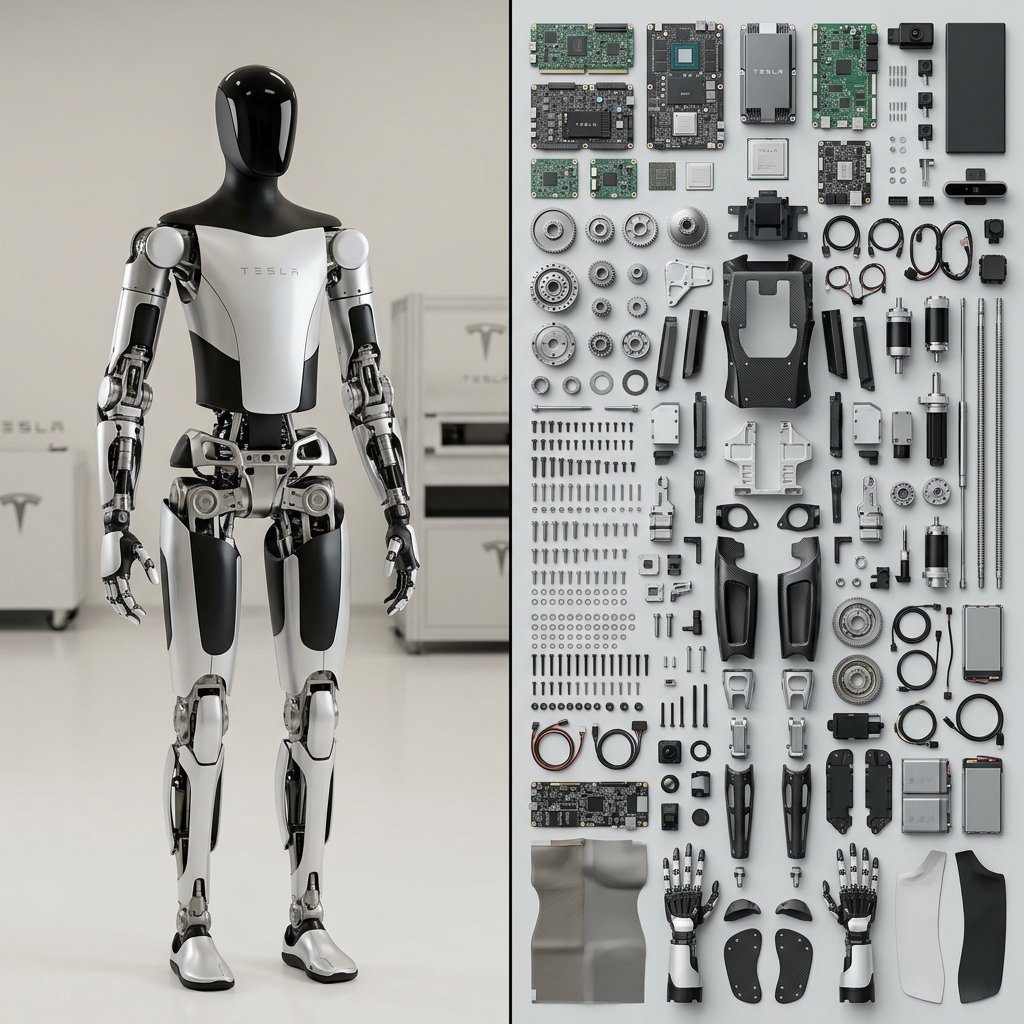
为特斯拉Optimus机器人执行此操作 输出1行2列:左侧 {subject} 右侧 = $ prompt $ prompt= 输入 = 主体 函数 Render_Knoll ($Subjec...
中文说明
为特斯拉Optimus机器人执行此操作 输出1行2列:左侧 {subject} 右侧 = $ prompt $ prompt= 输入 = 主体 函数 Render_Knoll ($Subject) 锚点:`[拆解后的$主体] :: [诺尔摄影布局]::5` 形态:`[$Subject]的组成部件被拆解并排列在整齐网格中,90度平行对齐,俯视平铺构图,有序的混乱::4` 材质物理:`内部组件(电路板、齿轮、螺丝、织物)的真实纹理,干净哑光背景表面::3` 光照:`均匀平坦的影棚灯光,物体正下方柔和阴影,无强烈对比::2` 渲染参数:`俯视产品摄影,50mm镜头,f/8光圈保证全程清晰,8k,高保真::1` 负面提示:`[组装好的物体、透视角度、凌乱、重叠物品、模糊背景]:: -1`
原始 Prompt
Do this for Tesla Optimus Robot
Output 1x2: left side {subject} right side = $ prompt
$ prompt=
Input = Subject
Function Render_Knoll ($Subject)
  Anchor:   `[Deconstructed $ Subject] :: [Knolling Photography Layout]::5`
  Morphology:   `The constituent parts of [$Subject] dismantled and arranged in a neat grid, 90-degree parallel alignment, overhead flat-lay composition, organized chaos::4`
  Material Physics:   `Realistic textures of the internal components (circuit boards, gears, screws, fabric), clean matte background surface::3`
  Illumination:   `Even, flat studio lighting, soft shadows directly underneath objects, no dramatic contrast::2`
  Render Stack:   `Overhead product photography, 50mm lens, f/8 for full sharpness, 8k, high fidelity::1`
  Negative:   `[Assembled object, perspective angles, messy, overlapping items, blurry background]:: -1`