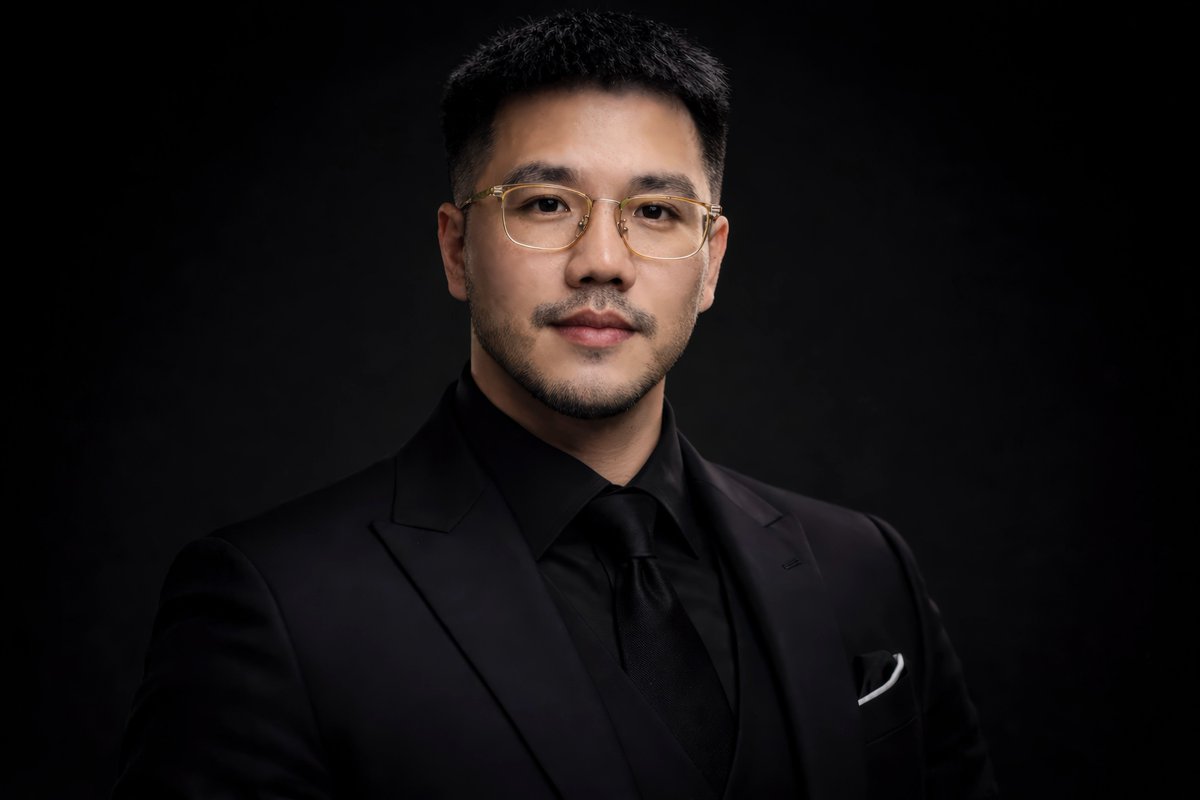
PROMPT RECORD图像记录
如何在 ChatGPT 或 Gemini 中创建此 AI 图像(分步指南) 📷 步骤 1:打开 ChatGPT 或 Gemini 📷 步骤 2:上传您的照片 📷 步骤 3:粘贴提示词 Use...
中文说明
如何在 ChatGPT 或 Gemini 中创建此 AI 图像(分步指南) 📷 步骤 1:打开 ChatGPT 或 Gemini 📷 步骤 2:上传您的照片 📷 步骤 3:粘贴提示词 Use uploaded face as primary reference with strict facial consistency — preserve exact facial structure, skin tone, beard style, proportions, and identity without any changes. ultra realistic studio portrait of a confident man wearing a black suit, black dress shirt a...
原始 Prompt
How to Create This AI Image in ChatGPT or Gemini (Step-by-Step)

📷 Step 1: Open ChatGPT or Gemini
📷 Step 2: Upload Your Photo
📷 Step 3: Paste the Prompt

Use uploaded face as primary reference with strict facial consistency — preserve exact facial structure, skin tone, beard style, proportions, and identity without any changes. ultra realistic studio portrait of a confident man wearing a black suit, black dress shirt and black tie, minimalist fashion, clean and elegant look, centered composition, direct eye contact with camera, neutral facial expression, slightly serious and confident professional studio lighting, dramatic low-key lighting, soft key light from front-left, subtle rim light on shoulders, deep shadows, high contrast, cinematic lighting, dark black seamless background, smooth gradient fade sharp focus on face, detailed skin texture, natural skin tone, no color cast, no yellow tint, high dynamic range, 85mm lens, f/1.8, shallow depth of field, blurred background, ultra high detail, 8k resolution photography style, editorial fashion portrait, luxury brand style, symmetrical framing, clean composition, no distractions, no props

📷 Step 4: Generate the Image

#AceSteelD
#AIArt
#AIPhotography
#AIImageGenerator
#AIContent
#AICreator
#AIGenerated
#AIEditing