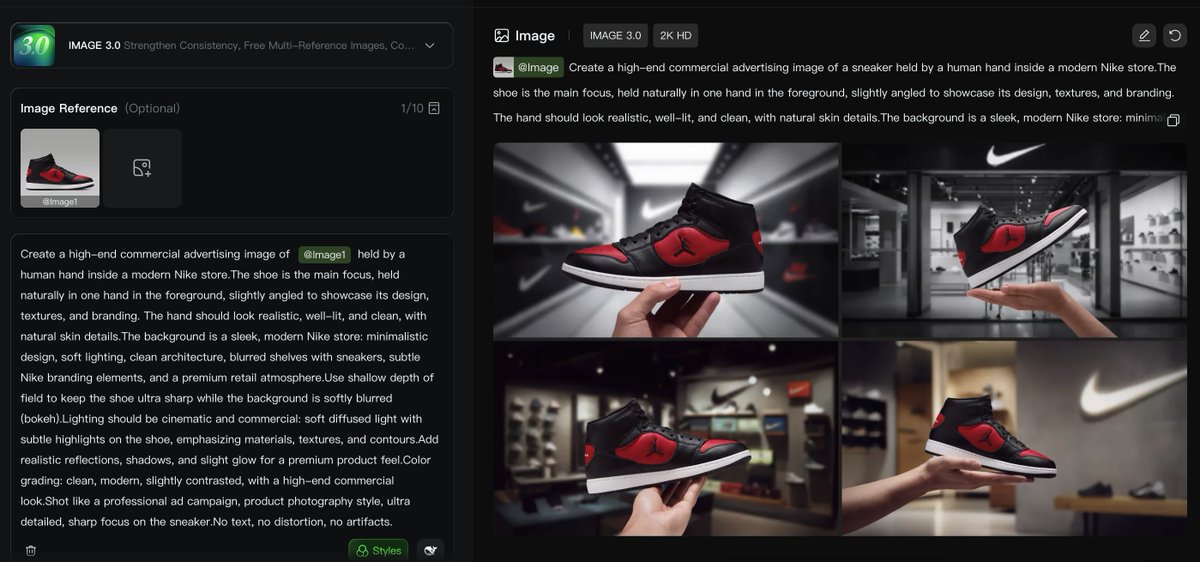
PROMPT RECORD图像记录
第一步 — 选择你的产品。 选取一个已有的物品, 并在 Kling Image 3.0 中将其重新创建。 在这个示例中,我使用的是一双 Nike Air Jordan, 放置在一家 Nike...
中文说明
第一步 — 选择你的产品。 选取一个已有的物品, 并在 Kling Image 3.0 中将其重新创建。 在这个示例中,我使用的是一双 Nike Air Jordan, 放置在一家 Nike 商店内,由手拿着。 这是提示词 👇🔥 Create a high-end commercial advertising image of Image1 held by a human hand inside a modern Nike store. The shoe is the main focus, held naturally in one hand in the foreground, slightly angled to showcase its design, textures, and branding. T...
原始 Prompt
Step 1 — Pick your product.

Take an existing item
and recreate it inside Kling Image 3.0.

For this example, I used a Nike Air Jordan
placed inside a Nike store, held in hand.

Here’s the prompt 👇🔥
Create a high-end commercial advertising image of  Image1  held by a human hand inside a modern Nike store. The shoe is the main focus, held naturally in one hand in the foreground, slightly angled to showcase its design, textures, and branding. The hand should look realistic, well-lit, and clean, with natural skin details.
The background is a sleek, modern Nike store: minimalistic design, soft lighting, clean architecture, blurred shelves with sneakers, subtle Nike branding elements, and a premium retail atmosphere.Use shallow depth of field to keep the shoe ultra sharp while the background is softly blurred (bokeh).

Lighting should be cinematic and commercial: soft diffused light with subtle highlights on the shoe, emphasizing materials, textures, and contours.Add realistic reflections, shadows, and slight glow for a premium product feel.
Color grading: clean, modern, slightly contrasted, with a high-end commercial look.
Shot like a professional ad campaign, product photography style, ultra detailed, sharp focus on the sneaker. No text, no distortion, no artifacts.